
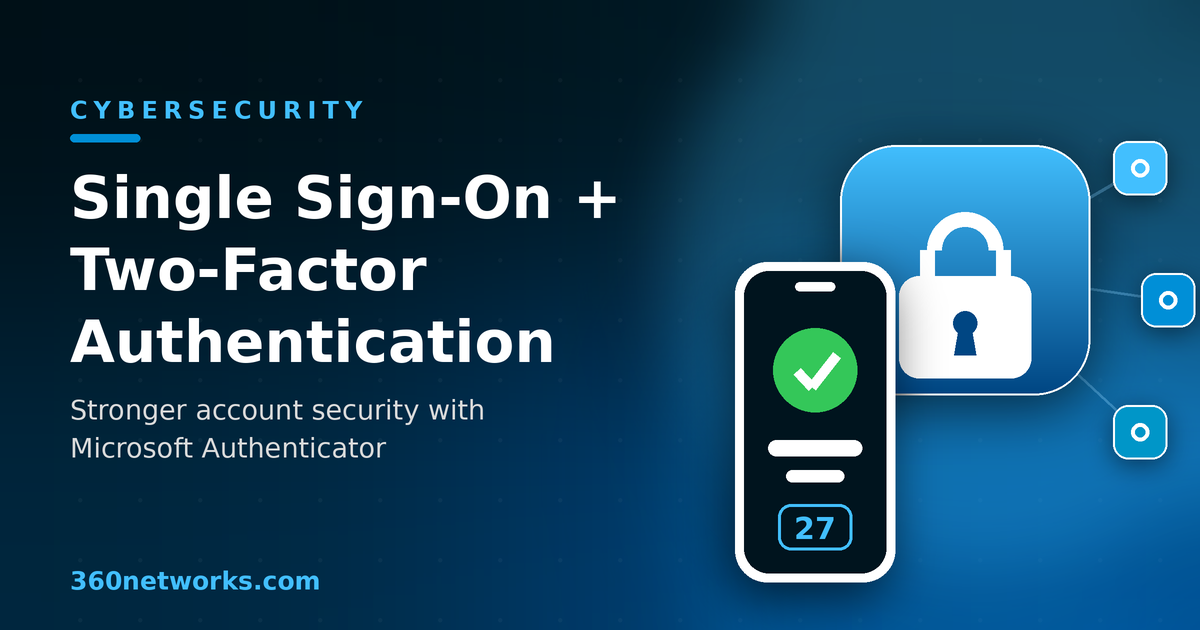
Every member of your team signs in to a dozen or more applications a day — email, file storage, accounting, your CRM, payroll, and a stack of line-of-business tools. Each of those logins is a door, and every door needs a lock. For most businesses, those locks are still just passwords, and passwords have quietly become the weakest link in the security chain. Two technologies close that gap better than almost anything else you can deploy: single sign-on (SSO) and two-factor authentication (2FA) delivered through an app like Microsoft Authenticator.
Here is why the combination matters, and how it protects your company without getting in your team’s way.
The password problem isn’t going away
Stolen and reused credentials remain one of the most common ways attackers get into business systems. Verizon’s annual Data Breach Investigations Report finds, year after year, that the human element — social engineering, phishing, and stolen credentials — sits behind a large share of breaches. The report’s own guidance lists multi-factor authentication as the very first step businesses should take to block unauthorized access. The reason is simple: people reuse passwords across sites, pick ones that are easy to guess, and hand them over to convincing phishing emails without realizing it.
The more separate passwords your staff have to juggle, the worse this gets. “Password fatigue” pushes people toward shortcuts: sticky notes on monitors, one password reused everywhere, or predictable patterns like Spring2026!. Each shortcut hands an attacker an easier way in. We’ve written before about the smarter alternatives in Beyond passwords: smarter ways to protect your online accounts — and SSO plus 2FA is where most businesses should start.
What single sign-on actually does
Single sign-on lets your employees authenticate once with a single trusted identity provider — Microsoft Entra ID (formerly Azure AD), Google, or Okta, for example — and then move between all of their connected applications without logging in again. Instead of maintaining twenty separate passwords for twenty separate tools, each person has one strong, well-protected identity.
That single change delivers several wins at once:
- A smaller attack surface. Fewer passwords means fewer credentials that can be phished, leaked, or cracked. There is one identity to defend instead of dozens.
- Stronger passwords, willingly. When someone only has to remember one login, they are far more likely to make it long and unique rather than recycling a weak one.
- Central control for IT. Access policies, password rules, and 2FA are enforced from one place. When an employee leaves, disabling one account cuts off every connected app instantly — no scrambling to remember which systems they could still reach.
- Less friction, more productivity. Staff stop wasting time on forgotten passwords and reset requests, and your help desk stops drowning in them.
In short, SSO turns a sprawling, hard-to-monitor mess of logins into a single, manageable front door. But a front door — even a good one — still needs more than one lock.
Why SSO alone isn’t enough
Consolidating to one identity is powerful, but it also concentrates risk. If that single set of credentials is stolen, an attacker could potentially reach everything behind it. This is exactly why SSO and two-factor authentication belong together: SSO reduces the number of passwords, and 2FA makes the one that remains far harder to abuse.
2FA (a form of multi-factor authentication) adds a second proof of identity on top of the password — something you have, like your phone, in addition to something you know. Even if a criminal steals or guesses the password, they can’t get in without that second factor. The numbers make the case: Microsoft has reported that multi-factor authentication can block more than 99.9% of account-compromise attacks. The U.S. Cybersecurity and Infrastructure Security Agency (CISA) makes the same point in its “More Than a Password” guidance: users who turn on MFA are dramatically less likely to be hacked, because a stolen password on its own is no longer enough.
Microsoft Authenticator: simple, strong 2FA your team will actually use
Microsoft Authenticator is a free app for iPhone and Android that turns an employee’s phone into their second factor. It works smoothly with Microsoft 365 and Entra ID, which most businesses already run, and it supports several ways to verify a sign-in:
- Push approvals. After entering their password, the user gets a notification on their phone and simply confirms it — fast and easy.
- One-time passcodes. The app generates a rotating six-digit code every 30 seconds, useful even when the phone is offline.
- Passwordless and biometric sign-in. Employees can approve a login with a fingerprint, face scan, or PIN — and can eventually drop the password altogether for a faster, phishing-resistant experience.
Getting started is straightforward: your team installs the app from the official Microsoft download page, scans a QR code to link their work account, and they’re protected. The app can also back up account credentials to the cloud, so swapping to a new phone doesn’t mean starting over.
Built-in protection against “MFA fatigue” attacks
As MFA has spread, attackers have adapted — bombarding people with repeated approval prompts in the hope that someone taps “Approve” just to make the buzzing stop. Microsoft Authenticator counters this with number matching. Instead of a simple yes/no tap, the sign-in screen shows a two-digit number that the user must type into the app to approve. A random prompt the user didn’t trigger now has nothing to match, which shuts down accidental approvals and fatigue attacks. It’s on by default — a meaningful security upgrade that asks almost nothing of your staff.
What this looks like in the real world
Picture a routine attack. One of your employees gets a polished email that appears to come from a trusted vendor and clicks through to a convincing but fake login page. They type in their Microsoft 365 username and password, and in that instant the credentials land in a criminal’s hands. Without a second factor, the story usually ends badly: the attacker signs in, reads email, hunts for invoices to redirect, and quietly adds forwarding rules to watch the inbox — the kind of business email compromise we explored in From malware to phishing.
Now run the same scenario with SSO and Microsoft Authenticator in place. The stolen password is only half of what the attacker needs. When they try to sign in, Entra ID sends an approval request to your employee’s phone — a prompt the employee never expected and didn’t trigger. Thanks to number matching, there is no code for the attacker to supply, and the login simply fails. One trained employee who ignores an unexpected prompt, backed by one well-configured second factor, turns a would-be breach into a non-event. That is the everyday payoff of layered authentication: it stops a single mistake from becoming a company-wide incident.
Better together: rolling single sign-on and 2FA out the right way
SSO and Microsoft Authenticator are strongest as a pair. SSO shrinks the number of doors and gives IT one place to set the rules; Authenticator makes sure the person walking through is really who they claim to be. Together they form a practical layer of “defense in depth” that is realistic for businesses of any size. To get the most out of them, a few practices matter:
- Require MFA for everyone — especially administrators and executives, who are the highest-value targets.
- Aim for phishing-resistant methods. CISA recommends moving toward phishing-resistant MFA such as passwordless sign-in and passkeys where you can.
- Use conditional access. Layer in policies that consider device health, location, and risk level, so logins from unexpected places face extra scrutiny.
- Train your people. Technology works best alongside employees who know never to approve a prompt they didn’t request.
Done well, this isn’t a burden on your team — it’s usually a smoother experience than the password sprawl it replaces, with far stronger protection underneath.
Getting it set up
Configuring SSO, enforcing MFA, and tuning conditional-access policies across Microsoft 365 and your other applications takes planning to get right — and to avoid locking out the very people you’re trying to protect. That’s where having an experienced IT partner pays off. At 360 Networks, our cybersecurity services and IT consulting and virtual CIO team help businesses roll out single sign-on and Microsoft Authenticator the right way, with policies matched to how your people actually work.
Passwords alone were never built to defend a modern business. SSO and 2FA are. If you’re ready to close the gap, get in touch with our team — we’ll help you put the right locks on every door.